
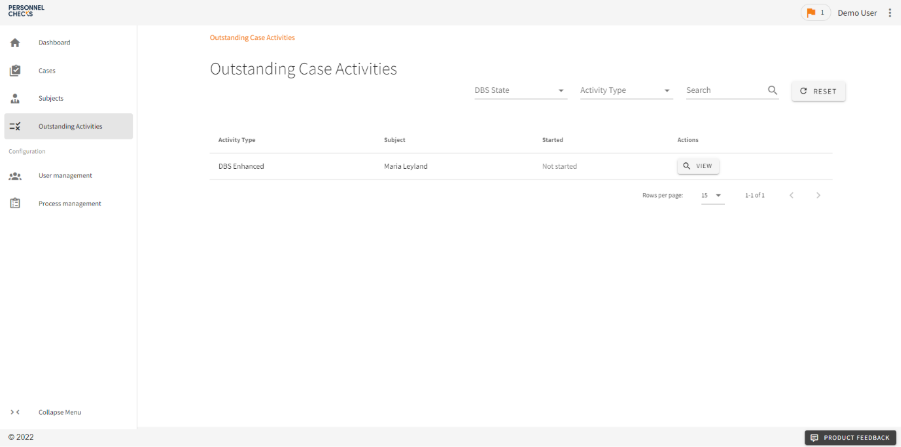
To start the ID Verification (IDV) for a DBS Case Activity, just log in to your account and select "outstanding activities", as shown in the screenshot below:
This will load a list of all the Case Activities that need your attention before they can be progressed, including those requiring identity verification (IDV).
From this List View you can either search for the Subject you are looking for or use the filtering options to isolate outstanding IDV. Once you’ve found the relevant outstanding Case Activity, simply click ‘view’ to open it.
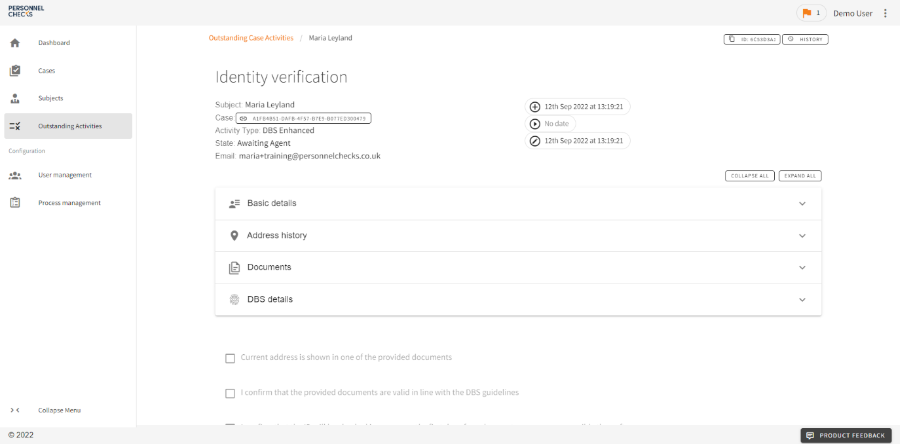
This will open the screen shown below:
Once on this screen, you will need to go through and manually check the ID that your Subject has uploaded.
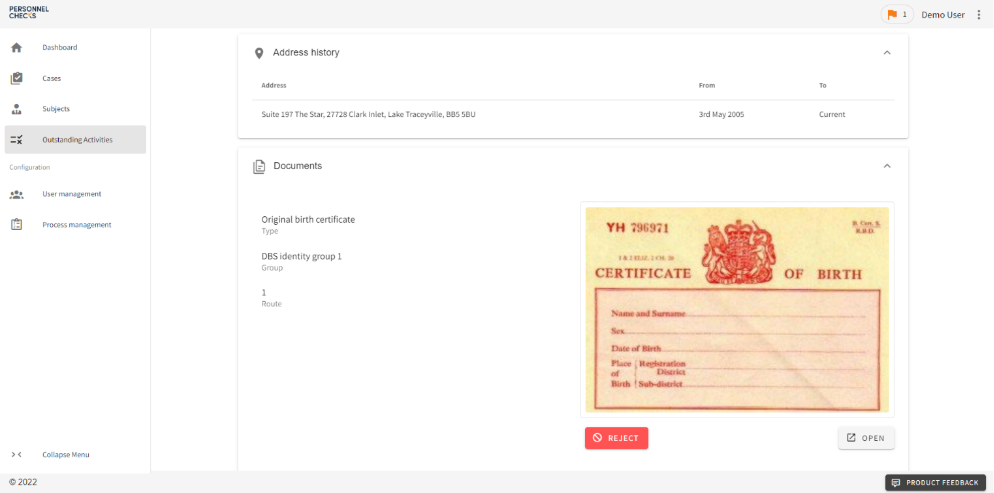
To do this, click ‘Expand All’ to see the full application data and the documents that have been uploaded, as seen below:
Verifying the Documents
To complete the IDV, you must ensure that all the documents follow the DBS Guidelines and match the information on the application.
Things to be aware of include:
Are the documents on the list of acceptable documents? Click here to see Basic DBS application requirements and click here to see Standard/Enhanced DBS application requirements.
Is there at least one document from Group 1?
Are all the names showing on the document (where possible)?
Are the names spelled correctly?
Is the date of birth correct?
Is one document in their current address?
Is the document in date?
Are they online documents (the DBS will not accept these)
Submitting the Application
Once you have verified the documents, and are happy that the application is correct, complete, and follows all relevant guidelines, check the three checkboxes at the bottom of the page and click "verify".
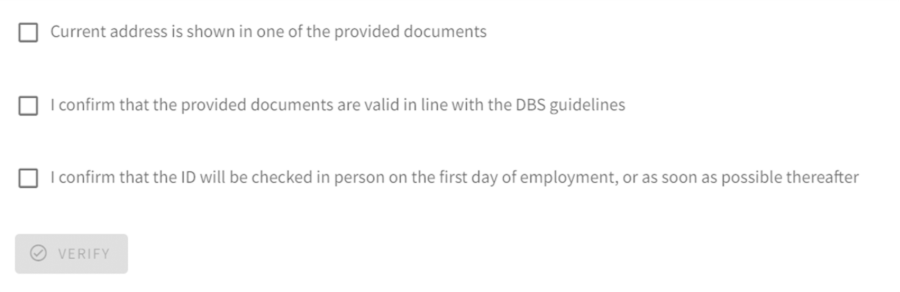
This will pass the application on to our countersignatories to submit to the DBS.
You may encounter errors or incorrect information during the IDV process.
Should you have any questions at any point, contact our team on letstalk@personnelchecks.co.uk and they will be glad to assist.