
To track the progress of any Case associated with your account, you must first login to the web app.
Once logged in, the first thing you will see is your Dashboard. Here you will see any Pending Orders / Incomplete Applications. To track any Cases you have submitted, you need to select the Cases tab from the left-hand navigation menu.
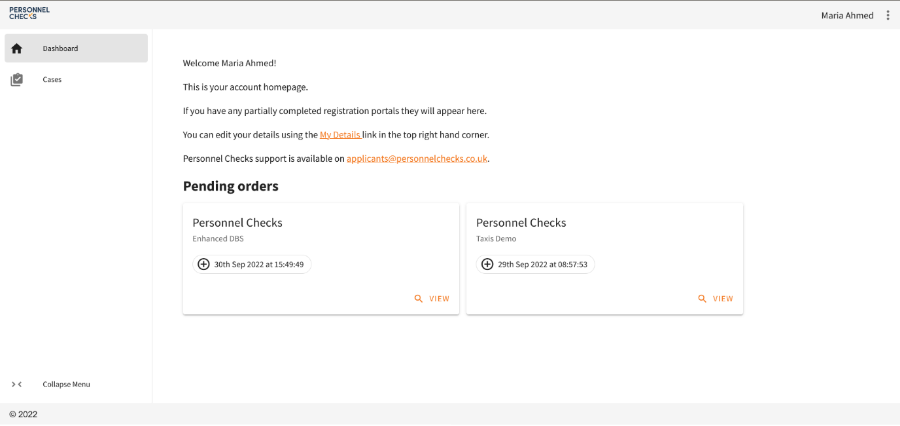
Once you have opened the Cases view, you will be able to see all any previous cases you have completed, regardless of the Company you applied through.
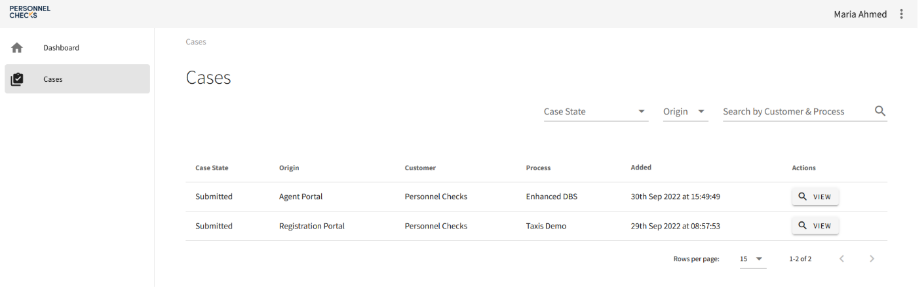
You will be able to see the Case State, the Customer, the Process, and when the case was started.
To track the progress of a specific Case, you need to search through the list and find the one you are looking for. You can use the filtering options to narrow down the results.
Once you’ve found the relevant Case, simply click ‘View’ to open the full details.
On this page, you’ll be able to see all the individual Case Activities associated with that Case.
To see the progress of any Case Activity, you simply click the arrow on that activities tab to open the full details. Here you will be able to see what information you have submitted and the progress of that specific Case Activity.
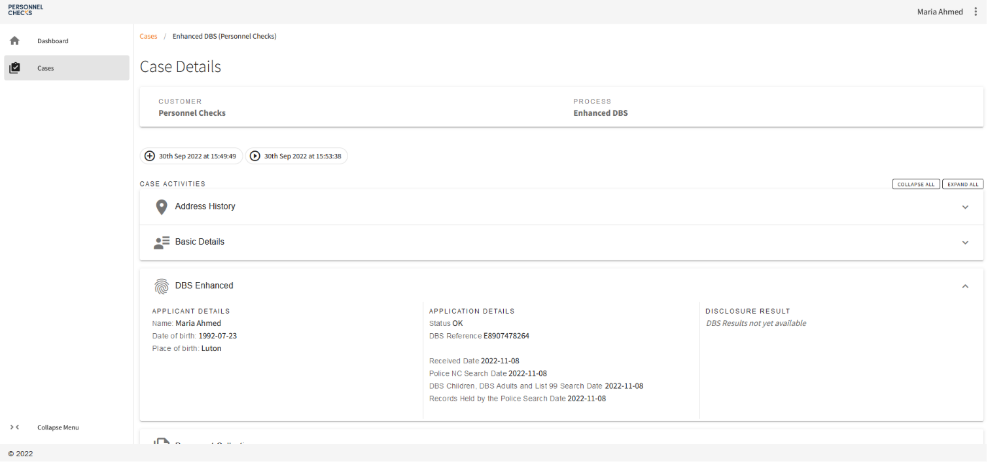
For example, in the screenshot above, you can see the progress of a DBS Enhanced Case Activity. Under the Application details section, you can view the dates that each phase of the DBS Check was completed.
The information provided on these tabs varies dependent on the specific Case Activity.
How to track the progress of a DBS Check (Subject Guide)
There are two ways to track the progress of a DBS Check, within the web app itself or via the DBS Check tracking websites.
Tracking via the web app
To track the progress of any DBS Check via the web app, you must first log in.
Once logged in, the first thing you will see is your Dashboard. Here you will see any Pending Orders / Incomplete Applications. To track any DBS Checks that you have submitted, you need to select the Cases tab from the left-hand navigation menu.
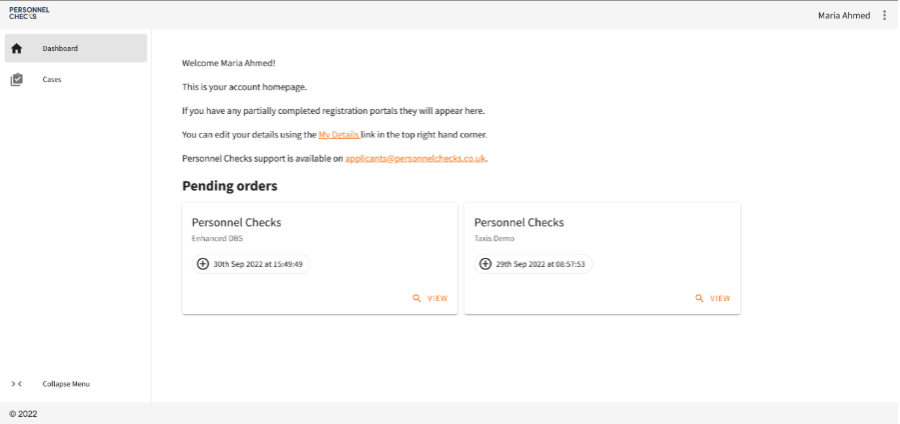
Once you have opened the Cases view, you will be able to see all any previous cases you have completed, regardless of the Company you applied through.
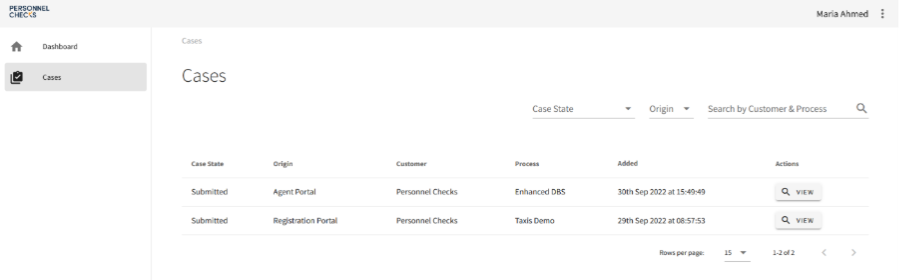
You will be able to see the Case State, the Customer, the Process, and when the case was started.
To track the progress of a specific DBS Check, you need to scroll through the list and find the one you are looking for.
Once you’ve found the relevant DBS Check Case, simply click ‘View’ to open the full details.
On this page, you’ll be able to see all the individual Case Activities associated with that Case.
To see the progress of the DBS Case Activity, you simply click the arrow on the tab to open the full details. Here you will be able to see what information you have submitted, whether any more information is required and the progress of that specific Case Activity.
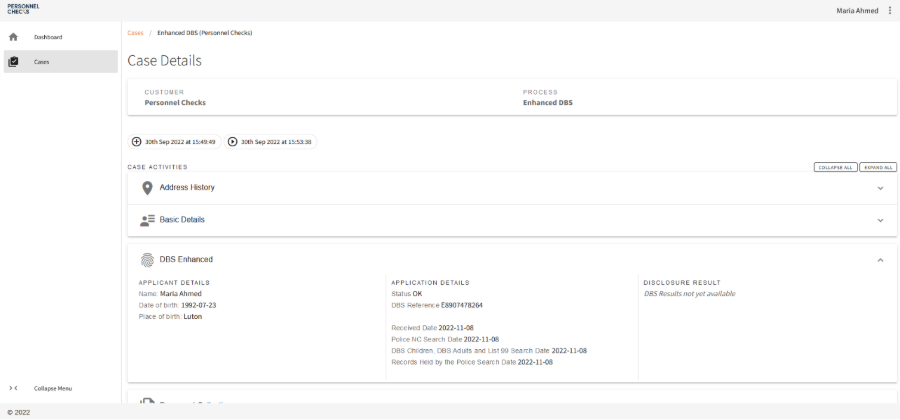
For example, in the screenshot above, you can see the progress of a DBS Enhanced Case Activity. Under the Application details section, you can view the dates that each phase of the DBS Check was completed.
Tracking an in-Process DBS Check with the Disclosure and Barring Service
Once a DBS application has been submitted, you can track your DBS Check directly with the Disclosure and Barring Service. This can be done online via their websites or by calling them.
There is a slightly different tracking process depending on what level of DBS Check you are having carried out.
Standard & Enhanced DBS Checks
Online Tracking
To track your Standard or Enhanced DBS Check online, you will need;
The application form reference number (this will be emailed to you but can also be found on the Case Activity on the web app).
Your date of birth
Follow, this link to track your Standard or Enhanced Disclosure.
Telephone Tracking
You can call the Disclosure & Barring Service directly on 03000 200 190.
You will need;
Applicant's full name
Applicant's date of birth
Applicant's address
It helps if you know your DBS reference number - but it's not essential
Basic DBS Checks
Online tracking
To track your Basic DBS Check online, you will need;
The application form reference number (this will be emailed to you but can also be found on the Case Activity on the web app).
The applicant's surname
The applicant's Date of Birth
Follow, this link to track your Basic Disclosure.